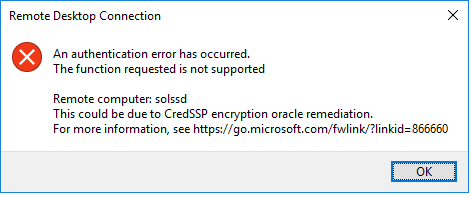
แก้ปัญหา Remote Desktop "This could be due to CredSSP encryption oracle remediation."
ปัญหานี้มักพบ ใน windows 10 11
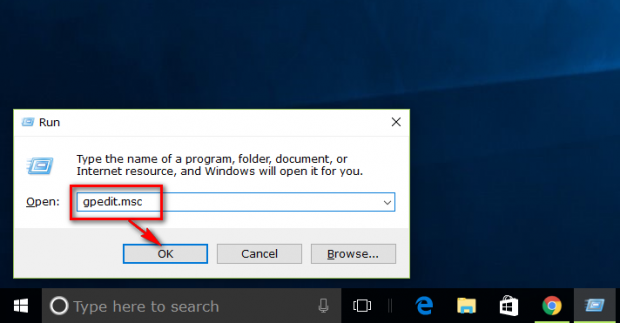
พิมพ์ winver ในช่องค้นหา (ข้อ1 แทน gpedit.msc)
ก่อน อื่น พิมพ์คำสั่ง winver ในช่องค้นหา เพื่อเช็ค เวอร์ชั่นของวินโด
- ถ้า มี Home เช่น Windows10 11 Home ให้แก้วิธีที่2 เท่านั้น
- ถ้า มี Pro ,Enterprise เช่น Windows10 11 Pro หรือ Enterprise แก้ได้ ทั้ง วิธีที่ 1และ 2
วิธีแก้แบบที่ 1
1.ไปที่ edit group policy
2.Computer Configuration > Administrative Templates > System > Credentails Delegation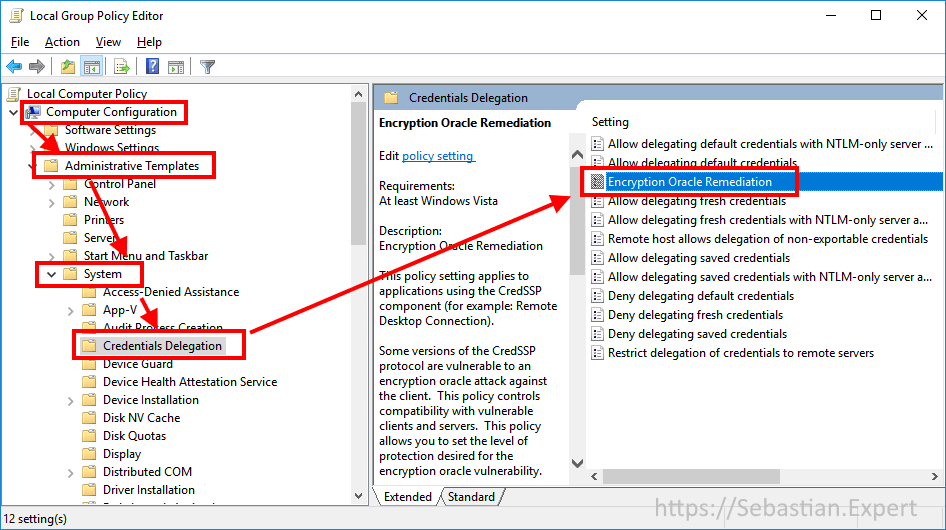
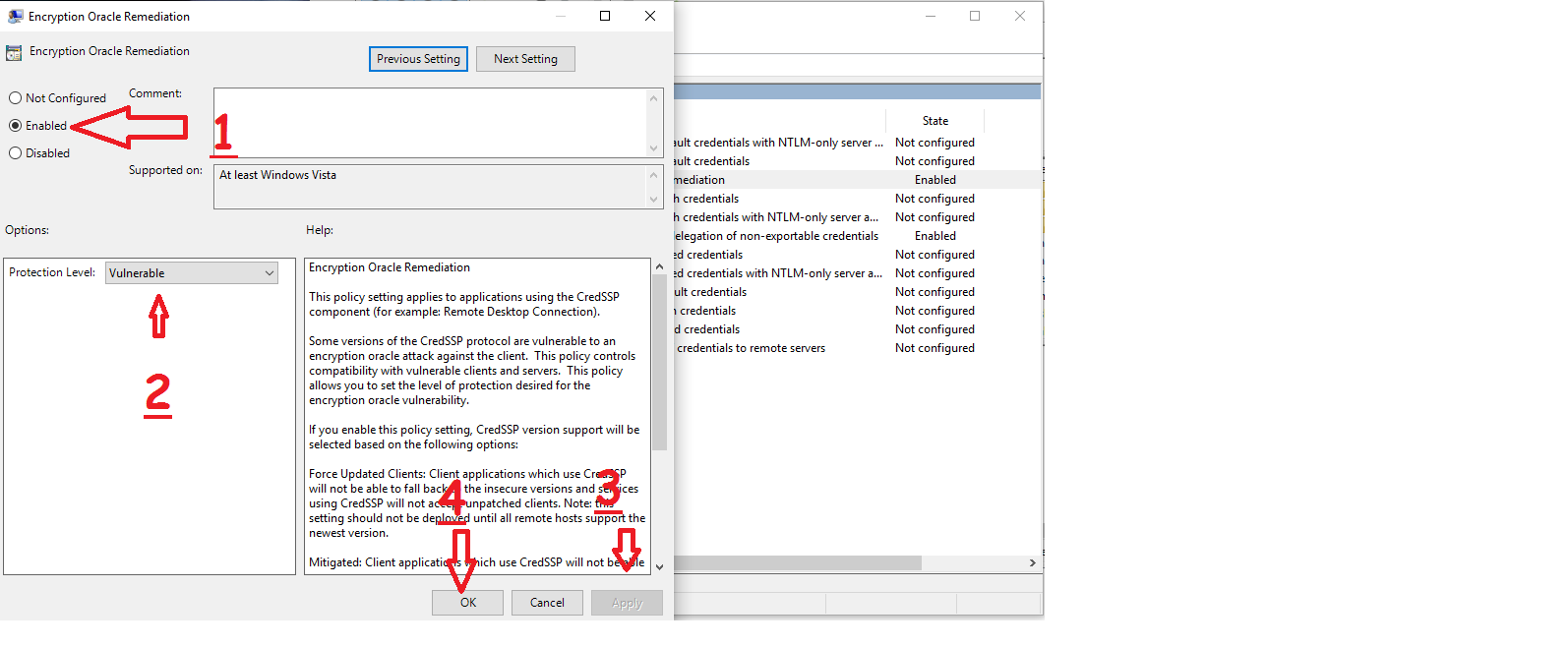
เลือก Encryption Oracle Remediation
เปลี่ยนเป็น Enable
Protection Level : Vulnerable
กด Apply , OK
!!หมายเหตุ!!
- ถ้าติดปัญหา หรือ แก้ ไม่ได้ ให้ ไปดูวิธีการ วิธีแก้แบบที่ 2
-------------------------------------------------------------------------------------------------------------------------------------------------------------------
วิธีแก้แบบที่ 2 (สำหรับ Windows10 Home, Pro)
1. ไปยัง Microsoft Store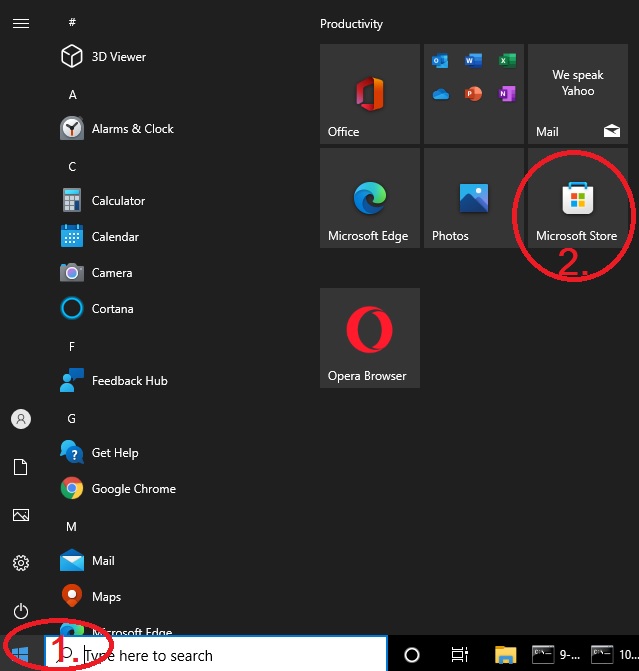
2. พิมพ์ ค้นหา Microsoft Remote Desktop ในช่องค้นหา เพื่อ Download (โหลดฟรี)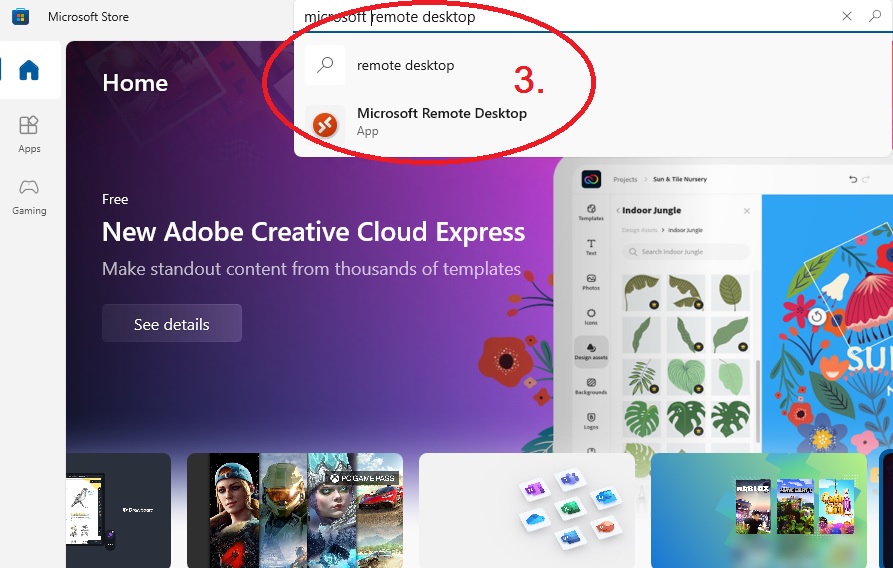
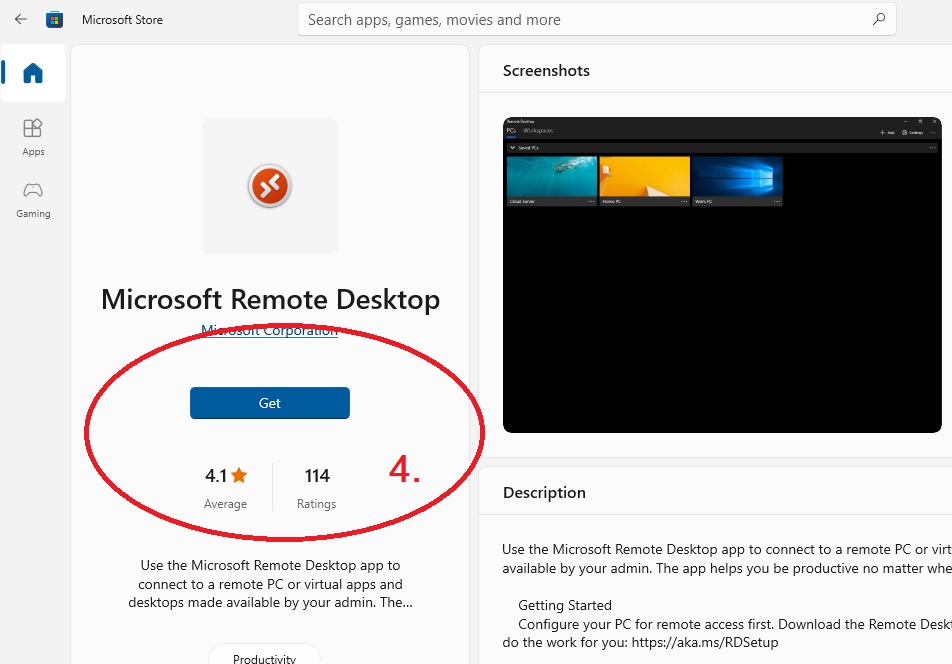
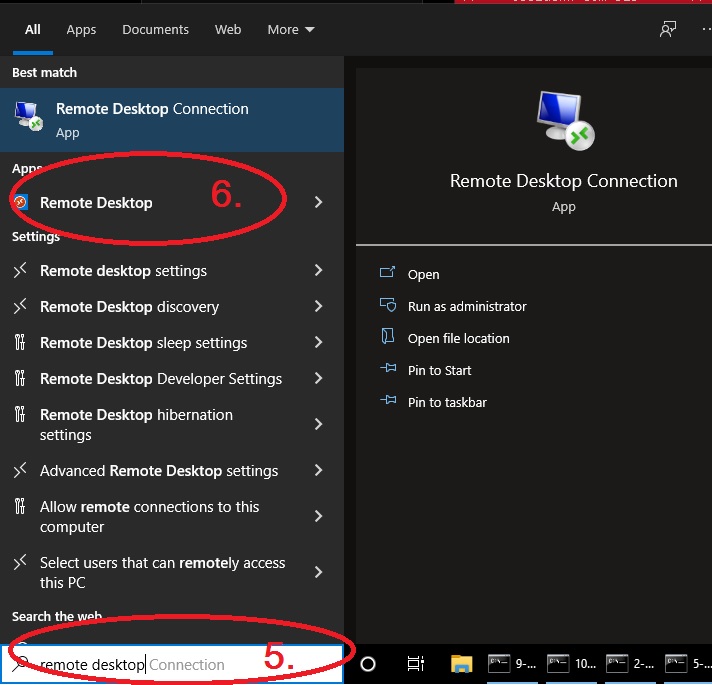
3. ใช้ ตัวใหม่ที่ download มา แทนตัวเก่า ที่ใช้งานไม่ได้
----------------------------------------------
แก้ปัญหา Install MT4 ติดหน้า proxy
- Click!! <<<<<